
Follow These Steps to Activate Your Magnificent Escape
Receive Activation Email Link
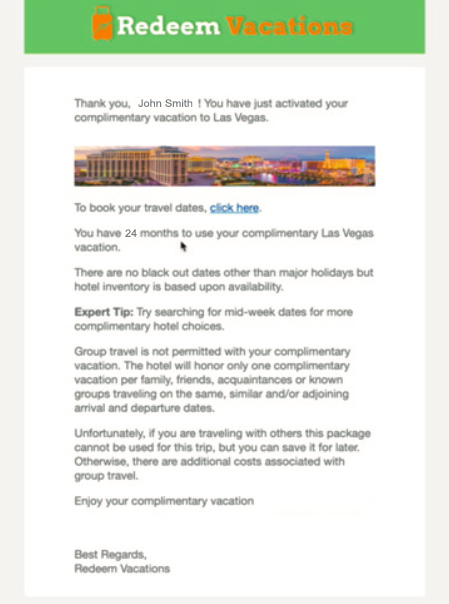
After submitting your information on this website, and choosing your vacation on the redeem.magnificentescapes.com website, you'll receive an email sent to the address you provided. This email will be sent by Redeem Vacations. Click on the link to activate your vacation.

Click the Activation Button
After you click the link provided in the email, you'll be sent to the Redeem Vacations website where you'll be able to activate your holiday. From the moment you arrive at this webpage, you'll have 7 days to choose your holiday before it expires.

Review Details and Activate
After you've clicked the 'Activate Now' button, you'll come to a form. Fill out this form with the details of who will be traveling. This is also where you will be able to pay the relevant taxes and fees.
An important note: The taxes and fees are a hospitality industry standard. They include (but aren't limited to): local tourism and bed taxes, sales tax based on the room rate, travel agency fees, and federal, state or local taxes.

Complete Activation
You will then be sent to a confirmation page explaining that you've successfully activated your vacation. You will have 24 months to travel, so you can browse for hotels whenever is convenient between now and then. It's not necessary to book your travel dates when you activate.
Choose Your Holiday
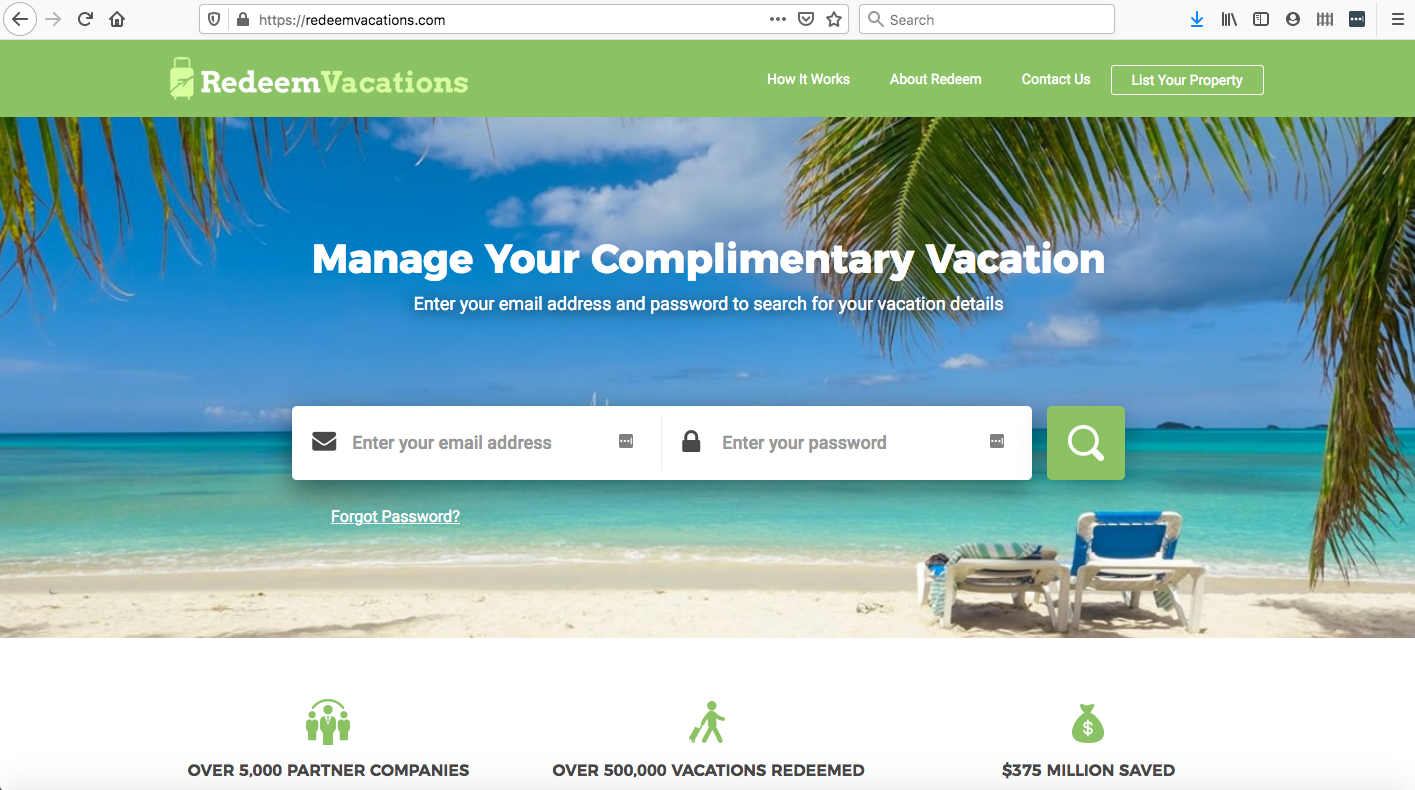
When you do decide it's time to lock in your holiday accommodation and dates, you can go to RedeemVacations.com. Use the email you signed up with to log in.
From there, you can select your travel dates.
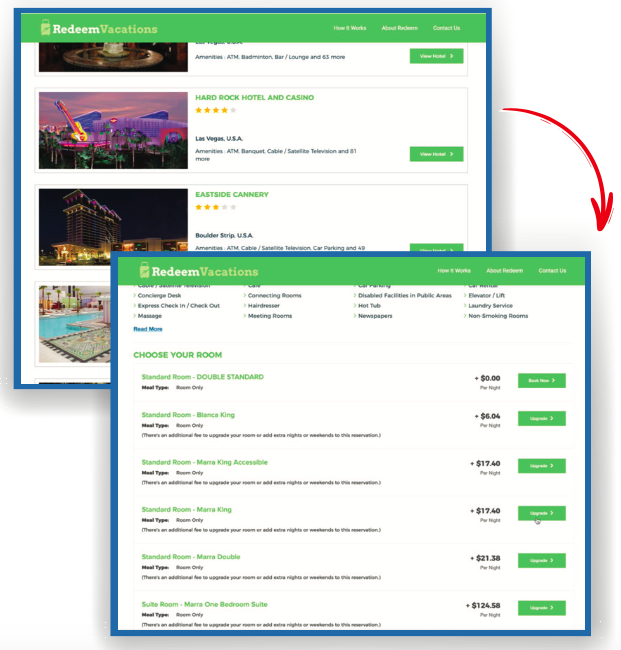
Then, browse through the hotels that are available during that time-frame.
From there, choose the hotel and room type you'd like.
Book Your Holiday
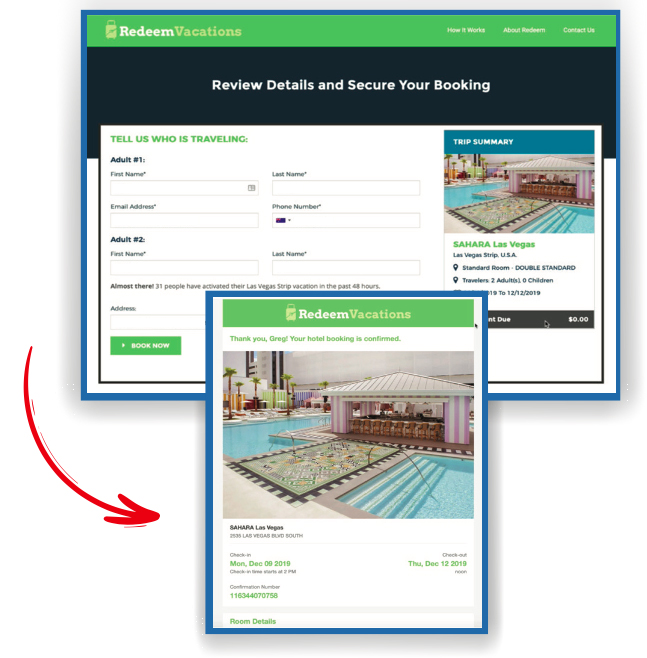
Review your booking details to make sure everything is correct.
Enter the traveller details and secure your booking.
You will note that the booking fee is $0 unless you choose to upgrade your room, as you've already paid the taxes and fees.
Finally, book your vacation!
Review Your Holiday
After you've secured the dates and accommodation that work for you, you may want to review your holiday to ensure everything is correct. To do this, revisit RedeemVacations.com and enter your email address and password given in your activation email to review the details.
That's it! We hope you enjoy the simple process to secure your holiday smoothly.

Copyright 2021 Magnificent Escapes, All Rights Reserved. Privacy Policy